During your examinations with EQUISYM®, you have the option of recording videos and downloading them to send to your client or anyone else.
First, you will need to ensure that you have synchronised the relevant examinations so that the data is saved on the server. Next, go to the Vet platform: https://dashboard-vet.arioneo.com/
Log in or create your account (How do I log in to the Vet Dashboard for the first time?).
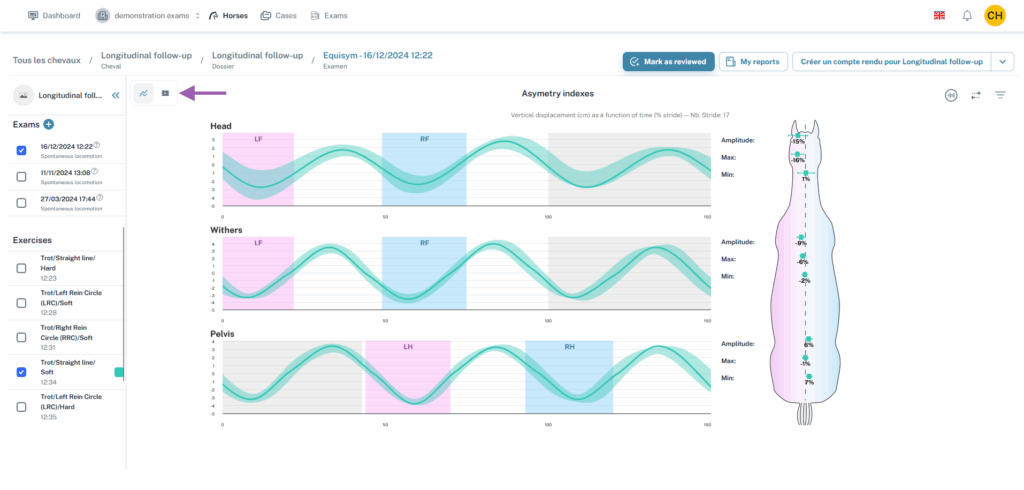
Find the exam for which you wish to download the videos by going to the exams tab or by going to the horses tab and then exams on the horse page. Once you are on the exam data screen, select the condition you are interested in and click on the video logo at the top left of the data.
Download the video if necessary, then it will be displayed. Right-click on the video, then select “Save video as…”.
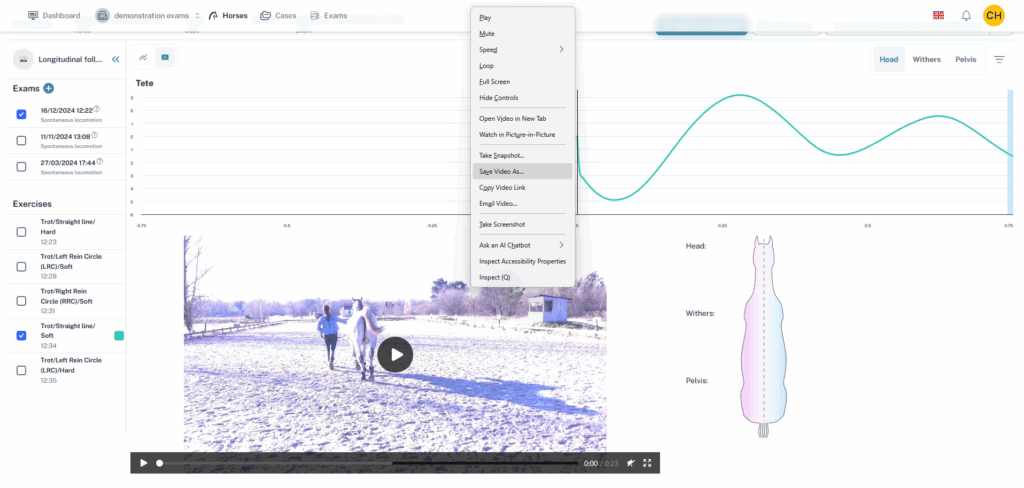
You can choose where to save the recording and the video will download. Then all you have to do is send it to your client. If you have several videos to send and the files are too large to transfer in an email, you can use a platform such as WeTransfer to send your client a download link.